
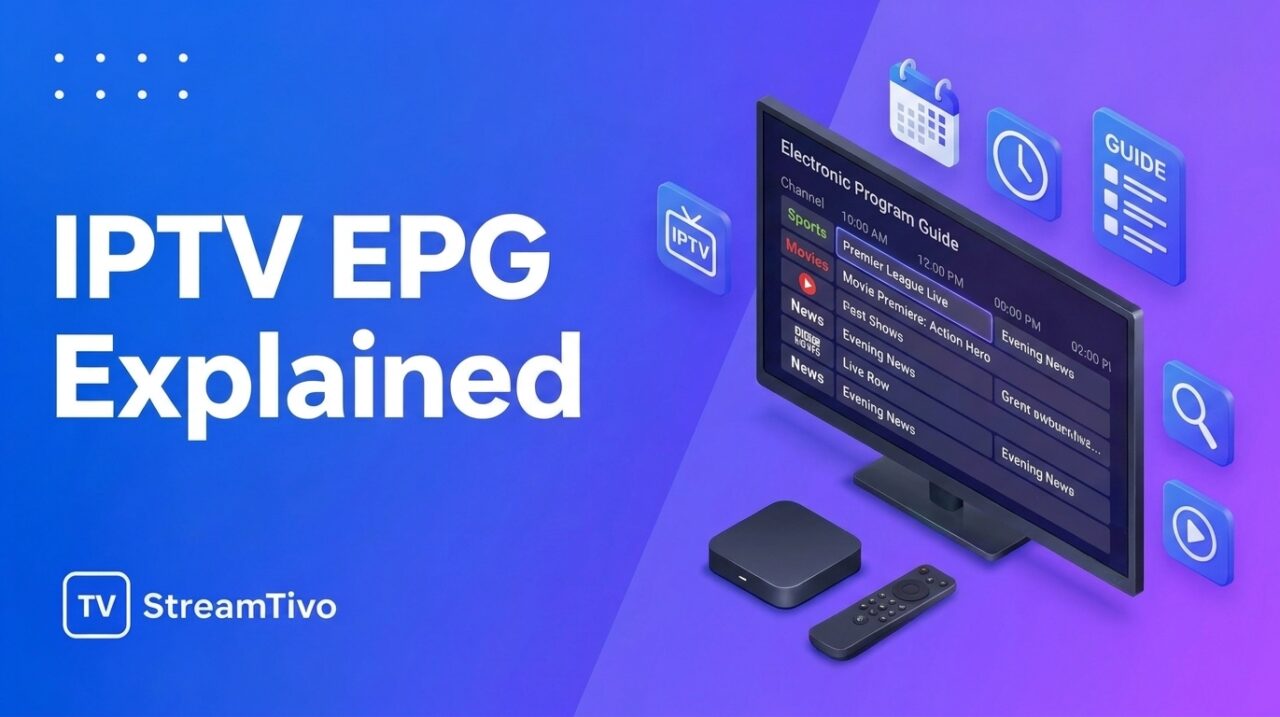
When watching IPTV, you may notice a program guide displaying channel names, show titles, broadcast times, and descriptions of upcoming programs. This feature is called an Electronic Program Guide (EPG).
An EPG makes it easier to navigate television channels and discover what is currently playing or scheduled next. Instead of switching between channels to find something interesting, you can browse a guide and plan what you want to watch.
In this guide, we explain what an IPTV EPG is, how it works, the different types of program guides, and how to set one up on a compatible IPTV player.
What Is an IPTV EPG?
EPG stands for Electronic Program Guide. It is a digital television schedule that displays information about available programs and their broadcast times.
In IPTV services, the IPTV EPG usually appears inside an IPTV application or player. Depending on the service and application, it can show:
- Channel names and logos
- Current television programs
- Upcoming shows and broadcast schedules
- Program descriptions
- Start and end times
- Categories or other program information
The exact information available depends on the EPG data supplied by the service and the features supported by the IPTV player.
Think of an EPG as a digital version of a traditional television listings magazine. Instead of looking through printed schedules, you can view program information directly on your screen.
How Does an IPTV EPG Work?
An IPTV EPG works by combining program schedule data with the channels displayed in your IPTV application.
The process generally involves three main components.
1. Program Schedule Data
An IPTV service or EPG provider supplies information about television programs. This data can include channel identifiers, program titles, descriptions, and scheduled broadcast times.
The data must be updated regularly to reflect changes to television schedules.
2. EPG Data Format
Program information can be delivered in formats such as XMLTV. This format allows compatible applications to read television listings and associate them with the appropriate channels.
Some IPTV services provide EPG data automatically, while others require users to configure a separate guide source.
3. Your IPTV Player
Your IPTV player reads the available program data and displays it in a visual guide.
When the channel information and EPG data match correctly, you can see what is playing now and what is scheduled next.
If the guide is missing information or displays the wrong programs, the issue may be related to outdated data, incorrect channel matching, time-zone settings, or application configuration.
Why Is an EPG Important for IPTV?
An Electronic Program Guide can make an IPTV service easier to use, particularly when it contains a large number of channels.
Easier Channel Navigation
Without a program guide, you may need to open individual channels to discover what is playing. An EPG lets you browse program listings and find content more efficiently.
See What’s Playing Now
A well-configured EPG displays the current program for supported channels, helping you decide whether to continue watching or switch to something else.
Plan Your Viewing
EPG listings can show upcoming programs, allowing you to check broadcast schedules before selecting a channel.
Discover New Content
Program titles and descriptions can help you find documentaries, entertainment programs, sports broadcasts, and other content you might otherwise overlook.
A More Organized Viewing Experience
When supported by the IPTV player, the EPG presents channel and program information in a structured interface, making the service easier to navigate.
Keep in mind that an EPG provides program information. It does not automatically provide access to the channels themselves or guarantee that a stream is available.
What Is the Difference Between IPTV and EPG? IPTV EPG
IPTV and EPG are related, but they serve different purposes.
| Feature | IPTV | EPG |
|---|---|---|
| Meaning | Internet Protocol Television | Electronic Program Guide |
| Main purpose | Delivers television content over IP networks | Displays television schedules and program information |
| Provides video streams | Yes, when offered by the service | No |
| Displays program schedules | Only if the service or application includes this feature | Yes, using available guide data |
| Requires content access | Depends on the service | Does not itself provide channel access |
In simple terms, IPTV is the technology used to deliver television content, while an EPG helps you understand what is available to watch and when programs are scheduled.
What Are the Different Types of IPTV EPG?
EPG data can be provided in different ways depending on the IPTV service and player.
Automatic EPG
Some IPTV applications receive program guide information directly from the service or load it automatically when you add your account.
This is usually the simplest option because you do not need to configure a separate EPG source manually.
XMLTV EPG
XMLTV is a widely used format for television program listings. An XMLTV source can contain information such as channel identifiers, program titles, descriptions, and schedules.
If your provider supplies an XMLTV-compatible IPTV EPG source, you may be able to add it to a compatible IPTV application.
Manually Configured IPTV EPG
Some IPTV players allow you to enter a guide URL or import an EPG file manually.
This option can be useful when the application does not automatically load the guide or when the provider supplies separate playlist and EPG information.
The available setup methods vary by player, so always follow the application’s instructions and use a legitimate data source.
How to Set Up an EPG in an IPTV Player
Setting up an IPTV EPG is usually straightforward when your service provides compatible guide information.
Follow these general steps.
Step 1: Open Your IPTV Application IPTV EPG
Launch the IPTV player on your Smart TV, streaming device, smartphone, or computer.
Make sure your IPTV playlist or account is already configured and working.
Step 2: Check Whether the EPG Is Already Available
Open the channel list or program guide. If you can see program titles and schedules, the EPG may already be configured.
If the guide is empty, check the application’s settings for an EPG, TV Guide, or Program Guide option.
Step 3: Obtain the EPG Information
If your application requires a separate source, check the setup instructions supplied by your IPTV provider.
Depending on the application, you may need an EPG URL or a compatible XMLTV file.
Only use sources you are authorized to access.
Step 4: Add the EPG SourceIPTV EPG
Open the relevant settings in your IPTV player and enter the guide information in the appropriate field.
Save the settings and follow the application’s instructions to import or refresh the data.
Not every IPTV player supports manual EPG configuration.
Step 5: Match the Channels
Some applications automatically match EPG listings to channels. Others allow manual matching.
If a channel displays the wrong program information, check whether the channel identifier in your playlist corresponds to the identifier used by the EPG source.
Step 6: Refresh the Program GuideIPTV EPG
Refresh or update the EPG so the application can retrieve the latest available schedule data.
Once the information has loaded, return to the program guide and check whether the listings appear correctly.
Ready to explore IPTV? Visit StreamTivo to learn about our available subscription options and check whether a free IPTV trial is available. You can test compatibility with your device and explore the service before choosing a subscription.
Common IPTV EPG Problems and How to Fix Them
Even when an IPTV service is working properly, the electronic program guide may occasionally have problems.
EPG Is EmptyIPTV EPG
If no program information appears, the guide source may be missing, unavailable, or incorrectly configured.
Check whether your provider includes EPG data, verify the source settings, and refresh the guide.
Incorrect Program Information
If the guide displays the wrong show for a channel, the EPG data may be outdated or matched to the wrong channel identifier.
Check the channel mapping and refresh the program guide. If the issue continues, contact your provider.
Program Times Are IncorrectIPTV EPG
Incorrect broadcast times can result from time-zone differences, device settings, or errors in the supplied schedule data.
Check your device’s date, time, and time-zone settings. If the problem affects only certain channels, the guide data may need to be corrected.
EPG Loads Slowly
Large program guides may take time to download and process, particularly on devices with limited memory or slower connections.
Try refreshing the guide when your connection is stable. If the application provides an option to update only selected data, follow its instructions to avoid unnecessary downloads.
Some Channels Have No Guide Information
Not every channel necessarily has EPG data. Some providers supply incomplete listings, and some channels may use identifiers that do not match the available guide.
Check the affected channels and contact your provider if information is missing from channels that should be supported.
How to Keep Your IPTV EPG Updated
Keeping the guide updated helps ensure that program titles and schedules remain useful.
Here are some practical recommendations:
- Enable automatic updates: If your IPTV player supports scheduled EPG updates, configure them according to your preferences.
- Refresh outdated information: Update the guide if schedules appear incomplete or incorrect.
- Check your device settings: Use the correct date, time, and time zone.
- Verify channel matching: Make sure guide data corresponds to the correct channels.
- Use a reliable source: Obtain EPG information from your authorized provider or another legitimate source.
- Keep your IPTV player updated: Install official updates when available to maintain compatibility.
Remember that even a correctly configured EPG can display outdated information if the source itself has not been updated.
Which Devices Support IPTV EPG?
EPG support depends on the IPTV application, device operating system, and guide format.
You may find EPG features in compatible applications running on:
- Samsung Smart TVs
- LG Smart TVs
- Android TV and Google TV devices
- Amazon Fire TV Stick
- Android smartphones and tablets
- iPhones and iPads
- Windows PCs and Mac computers
Not every application supports all EPG features, and some devices may require an alternative player. Before choosing an application, check whether it supports the playlist format and guide source provided by your service.
IPTV EPG Best Practices
For the best experience, use an IPTV player that supports the features you need and follow the setup instructions provided by its developer.
Make sure your channel list is configured correctly, your EPG source is valid, and your device uses the correct time zone. If a guide stops updating, check the source before repeatedly changing other settings.
You should also protect any private playlist URLs and account credentials used by your IPTV application. Avoid sharing these details publicly or entering them into untrusted websites.
Final Thoughts
An Electronic Program Guide is an important feature of many IPTV applications because it makes television schedules easier to understand and navigate.
By displaying current programs, upcoming shows, and other available information, an EPG helps you find content without opening every channel individually.
Setting one up usually involves checking whether your IPTV service supplies guide data, configuring the source if necessary, matching channels correctly, and refreshing the schedule.
If your EPG is missing or displaying incorrect information, start by checking the source, channel mapping, and time-zone settings. These simple steps can help you identify many common guide problems.
Ready to explore IPTV? Visit StreamTivo to learn about our available subscription options and check whether a free IPTV trial is available. You can test compatibility with your device and explore the service before choosing a subscription.

Related Articles:
- How to install IPTV on Firestick
- How to install IPTV on Samsung TV Guide 2026
- How to install IPTV on Android TV 2026
- How to fix IPTV buffering
- IPTV troubleshooting guide
- IPTV EPG Explained: What Is an Electronic Program Guide? – 2026
- IPTV Setup Guide for Beginners: How to Get Started Step by Step 2026
- IPTV Subscription: How to Choose the Right Plan in 2026
- IPTV USA: A Complete Guide to Internet TV in the United States
- IPTV Service: How to Choose a Reliable Provider in 2026