
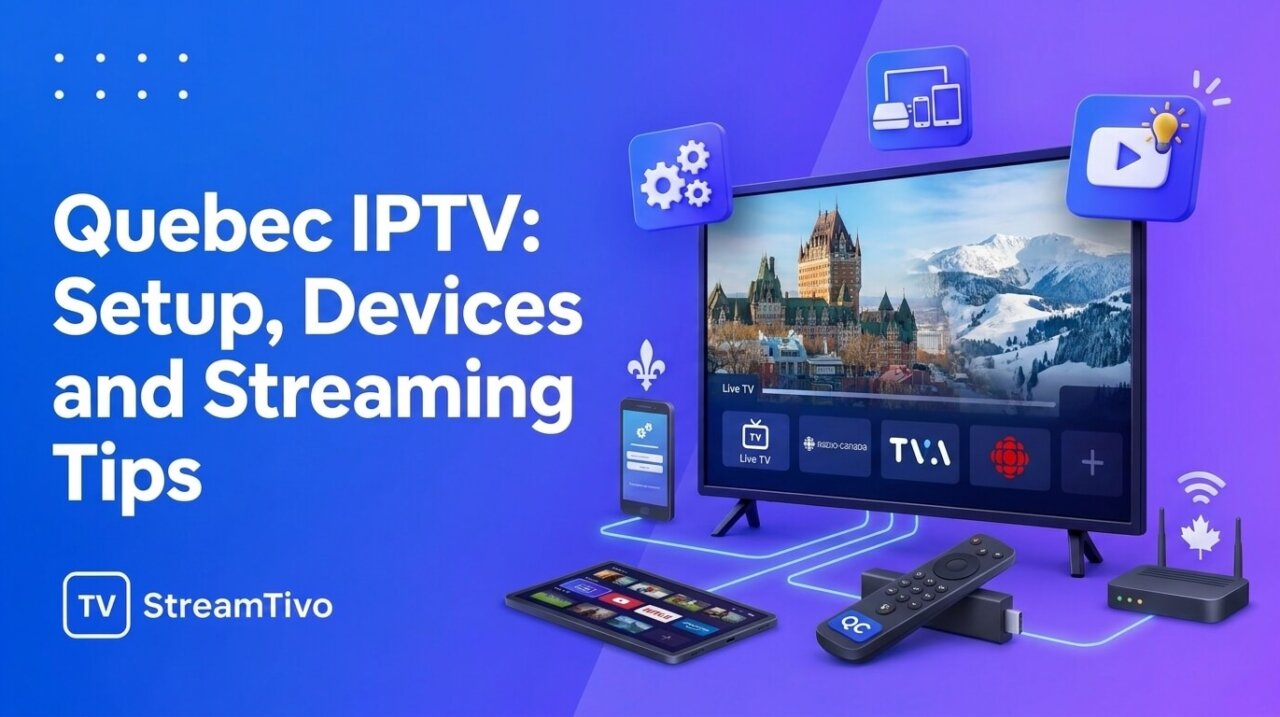
If you’re researching Quebec IPTV, you probably want to understand how internet television works, which devices you can use, and what to check before choosing a service. With so many streaming options available, knowing the basics can help you avoid unnecessary costs and find a setup that suits your household.
For viewers in Montreal, Quebec City, Laval, Gatineau, and other parts of Quebec, IPTV can provide another way to watch television over an internet connection. However, the experience depends on the provider, your internet speed, device compatibility, and the content available through your subscription.
In this guide, we’ll walk through the essentials of Quebec IPTV, from understanding the technology to setting up a compatible device and troubleshooting common streaming problems.
What Does Quebec IPTV Mean?
Quebec IPTV refers to internet-based television options used by viewers in Quebec, Canada. IPTV stands for Internet Protocol Television, a technology that delivers television content through internet networks rather than relying exclusively on traditional cable or satellite delivery.
Depending on the service, Quebec IPTV may include live television, on-demand movies, television series, or other streaming features.
It’s worth making one distinction: Quebec IPTV describes the delivery technology, not the legality or quality of a particular provider. Some IPTV services are operated by established television companies, while others may not have permission to distribute the content they advertise.
Before subscribing, check who operates the service and whether it has the necessary rights to provide its channels and programming.
How Does Quebec IPTV Streaming Work?
Traditional television services often deliver content through cable infrastructure, satellite signals, or other dedicated distribution systems. IPTV uses internet protocols to deliver video to a compatible device.
A typical setup involves three components:
- An IPTV content service: Provides access to the television content you’re authorized to watch.
- A compatible device or application: Displays and plays the available streams.
- An internet connection: Transfers the video data to your device.
When you select a program, the service delivers the relevant stream over the network. Your device receives the data and plays the video.
The quality of the experience depends on several factors, including the stream’s bitrate, the provider’s infrastructure, your internet connection, and the performance of your device.
Which Devices Can You Use for Quebec IPTV?
Device compatibility is one of the first things to check when researching Quebec IPTV options. Not every service supports every television, application, or streaming device.
Here are some common possibilities.
Amazon Fire TV Stick
A Fire TV Stick connects to a compatible television through HDMI and uses your internet connection to access streaming applications.
Before choosing a service, check whether it supports your particular Fire TV model and whether its recommended application is available through an official or otherwise trusted distribution channel.
For setup help, follow the provider’s verified instructions rather than entering your account details into unknown applications.
Android TV and Google TV
Android TV and Google TV devices support a range of streaming applications. Depending on your device and provider, you may be able to install a compatible player and configure your authorized television service.
Check the application’s requirements, device compatibility, and account setup instructions before subscribing.
Smart TVs
Some Smart TVs can run compatible IPTV players directly, while others may require an external streaming device.
Support varies by television model, operating system, and application. Confirm compatibility before paying for a subscription, especially if you have an older television.
Smartphones, Tablets and Computers
Certain Quebec IPTV services also support mobile devices and computers. This can be useful if you want to watch content away from your main television.
However, access may be subject to device limits, account rules, geographic restrictions, and the provider’s terms of service.
How to Set Up Quebec IPTV Step by Step
Although the exact process differs between providers, the following steps explain how a typical compatible setup works.
Step 1: Choose a Suitable Service
Identify the channels and types of content you want to watch. Check that the provider is authorized to distribute that content and that it supports your preferred device.
Review its pricing, subscription terms, cancellation policy, and support options before paying.
Step 2: Confirm Device Compatibility
Check the provider’s official compatibility list. Make sure your device meets the requirements and that you can access the recommended application.
If you are buying a new streaming device specifically for IPTV, confirm compatibility before making the purchase.
Step 3: Install the Recommended Application
Follow the official installation instructions for your device. Use a trusted application source and avoid software that asks for unnecessary permissions or sensitive information.
Remember that an IPTV player is not necessarily a television subscription. Some players only play streams supplied by a separate, authorized service.
Step 4: Configure Your Account
If your provider requires an account, follow its official instructions to sign in or configure the application.
Keep your login credentials private. If the service supplies configuration details, store them securely and do not publish them online.
Step 5: Test the Streaming Experience
Play the content you expect to watch and check video quality, audio, navigation, and channel availability.
If a provider offers a legitimate trial, use it to evaluate the service before committing to a longer subscription.
What Internet Speed Is Recommended for Quebec IPTV?
A reliable internet connection can make a substantial difference to streaming quality. The appropriate speed depends on video resolution, stream bitrate, household usage, and the provider’s requirements.
The following figures are general starting points for a single stream:
| Streaming quality | Approximate download speed |
|---|---|
| Standard definition (SD) | 3–5 Mbps |
| High definition (HD) | 5–10 Mbps |
| 4K / Ultra HD | 25 Mbps or more |
These are estimates rather than universal requirements. Some services need additional bandwidth, and multiple simultaneous streams can increase total demand.
For example, if one person is watching television while another is gaming or taking a video call, your household will need enough bandwidth for all activities.
For a more stable connection:
- Position your router where the signal can reach your streaming device.
- Use Ethernet when available and practical.
- Pause large downloads when testing streaming problems.
- Keep your device and applications updated.
- Check whether other devices are consuming significant bandwidth.
A fast internet plan does not guarantee perfect playback. Wi-Fi interference, network congestion, device performance, and the streaming provider can all affect the result.
How to Improve IPTV Streaming Quality
If your Quebec IPTV stream looks blurry, freezes frequently, or takes too long to load, try these basic troubleshooting steps.
Check Your Internet Connection
Run a speed test on the same network used by your streaming device. Compare the results with the service’s recommended requirements.
If your connection is unstable, test another device or connect directly to the router when possible.
Restart Your Streaming Device
Close the application and restart your device. This can resolve temporary software or memory issues.
If the problem continues, check for application updates and follow the device manufacturer’s recommended troubleshooting steps.
Improve Your Wi-Fi Signal
A weak wireless signal can cause buffering even when your internet plan has a high advertised speed.
Try moving the device closer to the router, reducing obstructions, or using Ethernet if supported.
Check Whether the Problem Is Service-Specific
If other streaming applications work normally but one service repeatedly buffers, the issue may be related to that service or its stream.
Check official service notices and contact the provider’s support team before purchasing a faster internet package.
Avoid Unnecessary Applications and Downloads
Background downloads and network-intensive applications can compete for bandwidth. Temporarily pausing them can help you determine whether household network usage is contributing to the problem.
Understanding IPTV Channel Lists and EPG
Two terms you may encounter while researching Quebec IPTV are channel lists and EPG.
A channel list identifies the channels available through a service or subscription. The list should be current and clear about which channels are included in your package.
EPG, or Electronic Program Guide, displays program information such as show titles, schedules, and descriptions. It can make it easier to browse available television content.
EPG support depends on the service and application. Program information may sometimes be incomplete or inaccurate, so check whether the provider explains how its guide is maintained.
Do not assume that every provider offers the same channels, program information, or features simply because it advertises IPTV.
What Should You Check Before Buying a Quebec IPTV Subscription?
A little research before paying can help you avoid an unsuitable service.
Transparent Pricing
Check the total price, subscription duration, renewal conditions, cancellation rules, and refund eligibility.
Be careful with unusually low prices when the provider gives little information about its business or terms.
Content Availability
Confirm that the service includes the specific French-language, English-language, Canadian, or international content you want. Verify that it is authorized to distribute that programming.
Supported Devices
Make sure your current television, streaming device, or computer is compatible. If you need additional hardware, include that cost in your comparison.
Customer Support
Look for a clear way to contact the provider and find out what help is available for installation, login issues, and billing questions.
Privacy and Account Security
Read the privacy policy and avoid providers that make unreasonable requests for personal information. Use unique passwords and never share private account details with unofficial support contacts.
Subscription and Refund Terms
Understand what happens if the service doesn’t meet your needs. A legitimate trial, where available, can help you assess compatibility and streaming performance before purchasing a longer plan.
Quebec IPTV vs. Traditional Television
Internet television and traditional cable or satellite services have different advantages and limitations.
| Feature | IPTV | Traditional cable or satellite |
|---|---|---|
| Content delivery | Internet network | Cable or satellite infrastructure |
| Internet connection | Required for internet-based streams | Usually not required for the television signal itself |
| Device options | Depends on the service | Usually based on provider-supported equipment |
| Channel selection | Depends on the authorized service | Depends on the television package |
| Cost | Varies by provider and plan | Varies by provider and package |
| Setup | Application or compatible equipment | Often provider-supplied equipment |
Neither option is automatically better for every household. Compare the total cost, content selection, equipment requirements, support, and contract terms before deciding.
Common Quebec IPTV Questions
Is Quebec IPTV available throughout the province?
Internet-based television can be used in many areas of Quebec, provided you have suitable internet access and a compatible device. The availability of individual services and channels may vary.
Can I watch French and English channels?
Some services offer both French-language and English-language programming. The selection depends on the provider and subscription. Check the current channel list and confirm the provider’s content rights.
Do I need a special television for IPTV?
Not necessarily. Some services work with compatible Smart TVs, while others support external devices such as Fire TV Stick or Android TV. Check the provider’s device requirements before subscribing.
Why does my IPTV keep buffering?
Common causes include an unstable internet connection, weak Wi-Fi, network congestion, device limitations, or problems with the streaming service. Test your connection and check whether other streaming applications work normally.
What is an IPTV player?
An IPTV player is an application used to play compatible streams. It may not include television channels itself, so you may need a separate service that is authorized to supply the content.
Is IPTV legal in Quebec, Canada?
IPTV technology is legal, but the legality of a specific service depends on its distribution rights and the content it provides. Check that the provider is authorized to distribute the programming it advertises.
Can I use IPTV on multiple devices?
That depends on the provider’s terms and subscription plan. Some services restrict the number of registered devices or simultaneous streams. Confirm the rules before purchasing.
Is a longer IPTV subscription better value?
Not always. A longer plan may have a lower advertised monthly cost, but it also means committing more money upfront. Consider the provider’s reputation, cancellation terms, refund policy, and performance before choosing a long-term subscription.
Final Thoughts on Quebec IPTV
Quebec IPTV can be an option for viewers who prefer internet-based television, but choosing the right setup requires more than downloading an application.
Start by identifying the content you want, checking the provider’s authorization, confirming device compatibility, and making sure your internet connection meets the service’s requirements.
Take time to compare subscription terms and test a service where a legitimate trial is available. A little preparation can help you avoid unnecessary costs and make a better-informed decision about how you watch television.
Want to experience smooth IPTV streaming before subscribing? Request your IPTV Free trial today and explore our service, check the streaming quality, and see if it’s right for you. No need to commit before trying it out!

Related Articles:
- How to install IPTV on Firestick
- How to install IPTV on Samsung TV Guide 2026
- How to install IPTV on Android TV 2026
- How to fix IPTV buffering
- IPTV troubleshooting guide
- IPTV EPG Explained: What Is an Electronic Program Guide? – 2026
- IPTV Setup Guide for Beginners: How to Get Started Step by Step 2026
- IPTV Subscription: How to Choose the Right Plan in 2026
- IPTV USA: A Complete Guide to Internet TV in the United States
- IPTV Service: How to Choose a Reliable Provider in 2026