
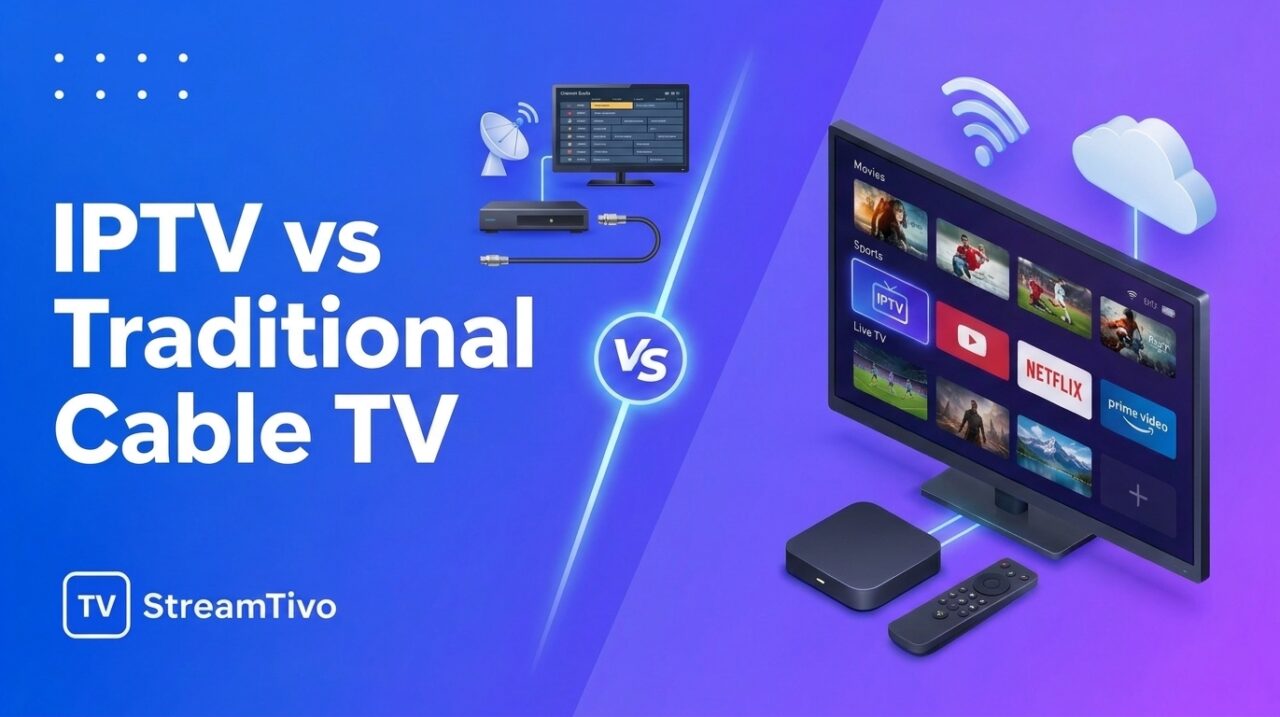
Choosing between IPTV and traditional cable TV depends on how you watch television, your budget, and the flexibility you need. Both options let you enjoy television content, but they use different technologies to deliver it to your screen.
IPTV delivers television content through an internet connection, while traditional cable TV generally uses a cable network connected to your home. Each option has advantages and disadvantages, so understanding the differences can help you decide which one suits your needs.
In this guide, we compare IPTV vs traditional cable TV, including cost, channel selection, device compatibility, picture quality, reliability, and ease of use.
What Is IPTV? IPTV vs Traditional Cable TV
IPTV stands for Internet Protocol Television. It is a technology that delivers television content over an internet protocol network rather than through a traditional cable television connection.
Depending on the service, IPTV can provide live television channels, on-demand movies, TV series, and programme guides. You can watch it using compatible devices such as Smart TVs, Amazon Fire TV Stick, Android TV boxes, smartphones, tablets, and computers.
The setup usually involves an internet connection, a compatible IPTV application, and access to a service that is authorised to distribute the content you want to watch.
If you are new to this technology, read our guide on what IPTV is and how it works to learn the basics.
Ready to explore IPTV? Visit StreamTivo to learn about our available subscription options and check whether a free IPTV trial is available. You can test compatibility with your device and explore the service before choosing a subscription.
What Is Traditional Cable TV?IPTV vs Traditional Cable TV
Traditional cable TV delivers television signals to subscribers through a cable network operated by a television provider. Depending on the provider and equipment, the connection may use coaxial cable or a hybrid network that incorporates fibre-optic technology.
Customers typically choose a package, connect the provider’s equipment if required, and watch the included channels on their television.
Cable TV is a familiar option for households that prefer a conventional television service with a provider-managed connection. Channel packages, equipment, pricing, and available features vary by location and provider.
IPTV vs Traditional Cable TV: Quick Comparison IPTV v IPTV vs Traditional Cable TVs Traditional Cable TV
The following table highlights the main differences between the two options.
| Feature | IPTV | Traditional Cable TV |
|---|---|---|
| Delivery method | Internet connection | Cable television network |
| Internet required | Yes, for internet-delivered IPTV | Usually not for the TV signal itself |
| Compatible devices | Smart TVs, streaming devices, phones, tablets, and computers, depending on the service | Usually a TV and provider-compatible equipment |
| Channel selection | Depends on the service and subscription | Depends on the provider and package |
| On-demand content | May be included | Availability depends on the provider and package |
| Installation | Often involves an app and account setup | May require a cable connection and provider equipment |
| Picture quality | Depends on the stream, device, and internet connection | Depends on the signal, equipment, and provider |
| Reliability | Affected by internet and service performance | Affected by cable network and provider performance |
| Portability | Can be convenient across supported devices and locations, subject to service restrictions | Usually tied to the installed connection |
| Pricing | Varies by service, package, and any additional costs | Varies by provider, package, equipment, and fees |
Neither option is automatically better in every category. Your experience depends on the provider, local infrastructure, equipment, and the package you choose.
1. Cost: Which Option Is More Affordable?
Price is often one of the first things people consider when comparing IPTV and cable TV.
IPTV Costs IPTV vs Traditional Cable TV
IPTV pricing varies considerably between services. Some platforms offer monthly subscriptions, while others provide different subscription periods or charge separately for premium features.
You may also need to account for internet service, a compatible streaming device, and any paid IPTV player application. If you already have a suitable device and internet connection, you may not need to purchase additional hardware.
Before subscribing, check exactly what the price includes, whether taxes or other fees apply, and how automatic renewal works.
Traditional Cable TV Costs IPTV vs Traditional Cable TV
Cable TV packages may include a monthly service fee, equipment rental, installation charges, premium channel add-ons, or other fees. The final cost depends on your provider and contract.
Some providers bundle television with internet or telephone service, which may make a package more attractive for certain households.
Which is cheaper? There is no universal answer. Compare the full monthly cost of each option, including internet service, equipment, installation, and additional fees, rather than looking at the advertised subscription price alone.
2. Channel Selection and Content IPTV vs Traditional Cable TV
The content available to you is another important consideration.
IPTV Channel Selection IPTV vs Traditional Cable TV
IPTV services can offer live television, sports, news, entertainment, and on-demand programming, depending on their content rights and subscription packages.
However, channel availability is not the same across every service. Before choosing one, verify that it legally offers the channels and programmes you want to watch in your country.
Cable TV Channel Selection IPTV vs Traditional Cable TV
Cable providers generally offer predefined channel packages. Depending on your location, these packages may include local channels, news, entertainment, sports, and premium content.
You may need to purchase an additional package to access certain channels or specialised programming.
Which offers more channels? It depends on the specific services being compared. A larger channel count does not necessarily mean better value if many of those channels are not relevant to you.
3. Picture Quality and Streaming Performance
Both IPTV and cable TV can deliver high-quality video, but the technology behind them affects performance differently.
IPTV Picture Quality
IPTV picture quality depends on several factors, including the stream’s resolution and bitrate, your device, your internet connection, and the provider’s infrastructure.
A stable internet connection is important, especially when watching high-resolution content. Slow speeds, network congestion, weak Wi-Fi, or overloaded service infrastructure can cause buffering and reduced picture quality.
For smoother playback, use a reliable connection and keep your streaming device and applications updated.
Cable TV Picture Quality
Cable TV picture quality depends on the provider’s signal, the channel’s broadcast quality, and the equipment used in your home.
Because traditional cable television does not generally rely on your household’s internet connection to deliver its TV signal, internet congestion from other household activities may have less direct impact on television playback.
However, cable service can still experience signal problems, network outages, or equipment faults.
Which has better picture quality? Neither technology guarantees better quality. Compare the actual service, supported resolution, available content, and reliability in your area.
4. Internet Dependency and Reliability
One of the biggest differences between IPTV and traditional cable TV is the role of the internet connection.
IPTV Requires Internet Access
Internet-delivered IPTV needs a working connection to receive its streams. If your internet service goes down, live television delivered through that connection will generally stop working.
The quality of your home network also matters. Multiple devices using bandwidth at the same time can affect playback, depending on your connection and the demands of the stream.
If you experience interruptions, our IPTV troubleshooting guide explains common problems and practical steps to investigate them.
Cable TV Uses Its Own Delivery Network
Traditional cable TV normally receives its television signal through the provider’s cable network. It can therefore continue working when your separate home internet connection is unavailable, provided the cable TV service and required equipment remain operational.
This separation can be useful for households that want television access even during an internet outage.
Which is more reliable? If your internet connection is stable, IPTV may work very well. If your internet service is unreliable, traditional cable TV may be the more practical choice, assuming the local cable network is dependable.
5. Device Compatibility and Flexibility
How and where you prefer to watch television can influence your decision.
IPTV Works Across Supported Devices
Depending on the provider and application, IPTV can be available on:
- Smart TVs
- Amazon Fire TV Stick
- Android TV and Google TV devices
- Compatible smartphones and tablets
- Computers and laptops
This flexibility can make IPTV convenient for people who want to use different screens. However, not every service supports every device, and some subscriptions restrict simultaneous streams or use outside a particular location.
Cable TV Is Usually Designed Around Your Television
Traditional cable TV is commonly configured for a television connected to the provider’s network, sometimes using a set-top box or other equipment.
Some cable providers also offer mobile apps and online viewing, so cable TV is not necessarily limited to a single television. Availability depends on the provider and the subscriber’s package.
Which is more flexible? IPTV often provides a straightforward way to watch on multiple types of internet-connected devices, provided the service supports them.
6. Installation and Ease of Use
Getting started can also differ between the two technologies.
Setting Up IPTV
For many compatible devices, the basic process is:
- Connect your device to the internet.
- Install a compatible IPTV player.
- Enter the subscription or playlist details supplied by your provider.
- Load the available channels and programme guide.
- Test playback and adjust your settings if necessary.
The exact process depends on your device, application, and subscription. You can follow our IPTV setup guide for beginners for a more detailed walkthrough.
Setting Up Cable TV
Cable TV installation may involve connecting a cable line, activating the service, and configuring a set-top box or television equipment. Some homes already have the necessary connection, while others may require a technician or additional installation.
Once configured, cable TV is generally straightforward to use through the television’s remote control.
Which is easier? IPTV can be quick to set up if you already have a compatible device and know how to install an application. Cable TV may be easier for people who prefer a provider-managed service with dedicated equipment and minimal app configuration.
7. On-Demand Content and Viewing Experience
Modern viewers often want more than scheduled television channels.
IPTV and On-Demand Viewing
Some IPTV services provide live channels alongside on-demand movies and TV series. The availability of these features depends on the service, subscription, and content rights.
An electronic programme guide, or EPG, may also help you browse programme schedules and find information about upcoming shows.
Read our article on IPTV EPG explained to understand how electronic programme guides work.
Cable TV and On-Demand Viewing
Many cable providers also offer on-demand content, catch-up television, recording features, or integrated streaming options. These features may require compatible equipment or a more expensive package.
Which offers a better viewing experience? Consider how you actually watch TV. If you prefer browsing content on different devices, IPTV may appeal to you. If you prefer traditional channel surfing and provider-supported equipment, cable TV may be a better fit.
8. Advantages and Disadvantages of IPTV
Advantages of IPTV
- Flexible device options: Watch on supported Smart TVs, streaming devices, phones, tablets, and computers.
- Internet-based delivery: No traditional cable TV connection is needed for an internet-delivered service.
- Potentially convenient setup: Compatible devices may only require an application and valid subscription details.
- Optional on-demand features: Some services combine live television with on-demand content.
- Different subscription options: Providers may offer various packages and subscription periods.
Disadvantages of IPTV
- Internet dependency: A connection problem can interrupt viewing.
- Variable service quality: Performance depends on the provider, network, and device.
- Compatibility differences: Some apps and services do not support every device.
- Potential extra costs: Internet access, hardware, and paid applications may add to the total cost.
- Provider selection matters: Content rights, privacy, security, and service reliability should be checked carefully.
9. Advantages and Disadvantages of Traditional Cable TV
Advantages of Cable TV
- Separate from home internet: Traditional cable television can often continue working when your internet connection fails.
- Familiar viewing experience: Many people are comfortable using a television remote and channel numbers.
- Provider-managed equipment: The provider may handle installation and equipment support.
- Bundled packages: Television may be included with internet or other household services.
Disadvantages of Cable TV
- Connection requirements: Your home generally needs access to the provider’s cable network.
- Potential equipment and installation fees: Set-top boxes and technician visits may increase costs.
- Package restrictions: Specific channels may require additional subscriptions.
- Less convenient portability: Service is usually associated with the installed connection, although provider apps may offer additional viewing options.
IPTV vs Cable TV: Which Should You Choose?
The best choice depends on your priorities, budget, internet connection, and viewing habits.
IPTV may suit you if:
- You already have a stable internet connection.
- You want to watch on different supported devices.
- You prefer app-based setup and flexible viewing options.
- You want a service that combines live television with on-demand features, where available.
Traditional cable TV may suit you if:
- You prefer a conventional television setup.
- Your home has reliable cable service.
- You want your television signal to operate separately from your home internet.
- You prefer a provider-managed installation and familiar remote-control experience.
Before making a decision, compare the actual providers available to you. Check their prices, channel lists, content rights, contract terms, customer support, and equipment requirements.
Frequently Asked Questions
Is IPTV better than traditional cable TV?
IPTV can offer more device flexibility and convenient internet-based access, while traditional cable TV can be useful for viewers who prefer a dedicated television connection. The better option depends on your needs and the quality of the services available to you.
Does IPTV need a cable connection?
Internet-delivered IPTV does not require a traditional cable TV connection. It needs an internet connection and a compatible device or application.
Can I watch IPTV without internet?
Most internet-delivered IPTV services require an active internet connection. Some applications may support downloaded content, but that does not mean live IPTV channels will work offline.
Is IPTV cheaper than cable TV?
It can be, but not always. Compare the total cost of the subscription, internet service, devices, equipment, installation, and any additional fees.
Can I use IPTV on my Smart TV?
Many Smart TVs support IPTV player applications, but compatibility depends on the television’s operating system, model, and the application you want to use.
Is IPTV legal?
IPTV is a technology for delivering television over internet protocol networks. Its legality depends on the service and whether it has the necessary rights to distribute the content it offers in your location. Choose a legitimate provider and check the applicable rules in your country.
Final Thoughts
When comparing IPTV vs traditional cable TV, there is no single winner for everyone.
IPTV can be an attractive option for viewers who value flexible devices, internet-based access, and compatible on-demand features. Traditional cable TV can remain a good choice for households that prefer a dedicated television connection and a familiar viewing experience.
The most important factors are the content you want to watch, the reliability of your local infrastructure, your total budget, and the features offered by each provider.
If you are considering IPTV, explore the available options, confirm device compatibility, and review the service’s subscription terms before getting started. With the right setup, you can choose a television experience that fits your everyday needs.
Want to experience smooth IPTV streaming before subscribing? Request your free IPTV trial today and explore our service, check the streaming quality, and see if it’s right for you. No need to commit before trying it out!

Related Articles:
- How to install IPTV on Firestick
- How to install IPTV on Samsung TV Guide 2026
- How to install IPTV on Android TV 2026
- How to fix IPTV buffering
- IPTV troubleshooting guide
- IPTV EPG Explained: What Is an Electronic Program Guide? – 2026
- IPTV Setup Guide for Beginners: How to Get Started Step by Step 2026
- IPTV Subscription: How to Choose the Right Plan in 2026
- IPTV USA: A Complete Guide to Internet TV in the United States
- IPTV Service: How to Choose a Reliable Provider in 2026